Planning12 min read
How to Use a Planner Effectively in 2026: Complete Guide
P
Plan2026 Team
December 26, 2025
# How to Use a Planner Effectively in 2026: Complete Guide
Bought a beautiful planner but don't know how to use it? You're not alone. Most planners end up abandoned by February. This guide will show you how to actually use your planner to achieve your goals.
## Why Most People Fail at Using Planners
Before we dive into how to use a planner effectively, let's understand why most people fail:
1. **Overcomplicating** - Too many systems, colors, and rules
2. **Perfectionism** - Afraid to "mess up" the pretty pages
3. **No Routine** - Forgetting to check the planner daily
4. **Wrong Planner** - Choosing a format that doesn't fit their lifestyle
5. **No Clear Goals** - Planning without purpose
## The 5-Step System for Effective Planner Use
### Step 1: Choose the Right Planner Format
Not all planners are created equal. Choose based on your needs:
**Daily Planners**
- Best for: Busy schedules, detailed planning
- Pros: Lots of space, hourly breakdown
- Cons: Can feel overwhelming if you have light days
**Weekly Planners**
- Best for: Balanced schedules, seeing the big picture
- Pros: See entire week at once, flexible
- Cons: Less space for details
**Monthly Planners**
- Best for: Big picture planning, goal tracking
- Pros: See patterns, plan ahead
- Cons: Not enough space for daily tasks
**Combination Planners**
- Best for: People who want it all
- Pros: Multiple views (monthly + weekly + daily)
- Cons: Can be bulky
**Pro Tip**: Start with a weekly planner. It's the most versatile format for beginners.
### Step 2: Set Up Your Planner System
Create a simple, sustainable system:
**Essential Sections**:
1. **Monthly Overview** - Big goals and important dates
2. **Weekly Spread** - Tasks and appointments
3. **Daily Tasks** - Top 3 priorities
4. **Notes** - Ideas, thoughts, reflections
**Color Coding** (Keep it simple!):
- 🔴 Red: Urgent/Important
- 🔵 Blue: Work/Career
- 🟢 Green: Personal/Health
- 🟡 Yellow: Social/Family
**Symbols**:
- ⭐ Priority task
- ✓ Completed
- → Migrated to next day
- ✗ Cancelled
- • Task
- ○ Event
### Step 3: The Daily Planning Routine
**Morning Routine (5 minutes)**:
1. Review today's schedule
2. Write your top 3 priorities
3. Check for appointments/deadlines
4. Set your intention for the day
**Evening Routine (10 minutes)**:
1. Check off completed tasks
2. Migrate unfinished tasks
3. Review tomorrow's schedule
4. Plan tomorrow's top 3 priorities
5. Reflect on today (optional)
**Pro Tip**: Keep your planner in the same spot. Make it part of your morning coffee routine.
### Step 4: The Weekly Review
Every Sunday (or your chosen day), spend 30 minutes:
**Review Last Week**:
- What did you accomplish?
- What didn't get done? Why?
- What went well?
- What could improve?
**Plan Next Week**:
- Check calendar for appointments
- Set 3-5 weekly goals
- Schedule important tasks
- Block time for priorities
**Prep for Success**:
- Meal plan
- Schedule workouts
- Plan social time
- Block deep work time
### Step 5: The Monthly Reset
First day of each month (30 minutes):
**Monthly Review**:
- Celebrate wins
- Analyze challenges
- Review metrics (if tracking)
- Extract lessons
**Monthly Planning**:
- Set 3-5 monthly goals
- Mark important dates
- Plan big projects
- Schedule reviews
## Advanced Planner Techniques
### Time Blocking
Instead of just listing tasks, assign them specific time slots:
**Example**:
- 9:00-11:00 AM: Project work
- 11:00-12:00 PM: Emails
- 1:00-2:00 PM: Meeting
- 2:00-4:00 PM: Creative work
**Benefits**:
- Realistic about time
- Prevents overcommitting
- Protects focus time
- Reduces decision fatigue
### The 1-3-5 Rule
Each day, plan:
- 1 Big Thing (most important task)
- 3 Medium Things (important but not urgent)
- 5 Small Things (quick wins)
This prevents overwhelm and ensures you focus on what matters.
### Brain Dump Pages
Dedicate pages for:
- Ideas and inspiration
- Things to remember
- Books to read
- Places to visit
- Gifts to buy
This keeps your mind clear and your planner organized.
### Habit Tracking
Create simple trackers for:
- Daily habits (exercise, water, meditation)
- Weekly goals (meal prep, date night)
- Monthly metrics (savings, books read)
**Pro Tip**: Use a simple checkbox system. Don't overcomplicate.
### Goal Breakdown
For each big goal:
1. Write the goal at the top
2. Break into monthly milestones
3. List weekly actions
4. Schedule daily tasks
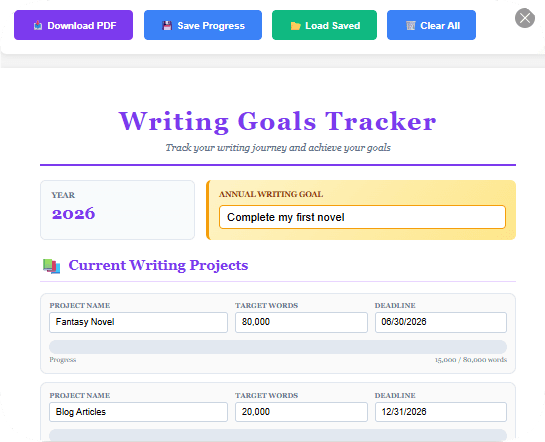
**Example Goal**: "Write a book"
- **Monthly**: Complete 3 chapters
- **Weekly**: Write 5,000 words
- **Daily**: Write 1,000 words
## Common Planner Mistakes (And How to Fix Them)
### Mistake 1: Planning Too Much
**Problem**: Scheduling every minute, no buffer time
**Solution**: Plan for 60-70% of your day. Leave space for unexpected tasks.
### Mistake 2: Not Checking Your Planner
**Problem**: Writing plans but never looking at them
**Solution**: Set phone reminders. Keep planner visible. Make it part of your routine.
### Mistake 3: Perfectionism
**Problem**: Afraid to write in planner, wanting it to look perfect
**Solution**: Remember: A messy planner that's used beats a perfect planner that's not. Use pencil if it helps.
### Mistake 4: No Flexibility
**Problem**: Getting frustrated when plans change
**Solution**: Use pencil, sticky notes, or digital planners. Build in buffer time.
### Mistake 5: Copying Others
**Problem**: Using someone else's system that doesn't fit you
**Solution**: Experiment. Find what works for YOUR life and schedule.
## Planner Hacks for Different Lifestyles
### For Busy Parents
- Use weekly view to see everyone's schedule
- Color code by family member
- Keep planner in kitchen (central location)
- Plan meals and activities together
- Use stickers for quick visual cues
### For Students
- Track assignments and due dates
- Plan study sessions
- Schedule breaks and self-care
- Use monthly view for exam prep
- Track grades and progress
### For Entrepreneurs
- Time block your day
- Track income and expenses
- Plan content and marketing
- Schedule client work
- Review metrics weekly
### For 9-5 Workers
- Separate work and personal
- Plan before/after work activities
- Track side projects
- Schedule self-care
- Plan weekend adventures
## Digital vs Paper Planners
### Paper Planners
**Pros**:
- No distractions
- Better memory retention
- Satisfying to write
- No battery needed
- Customizable with stickers/washi tape
**Cons**:
- Can't easily move tasks
- Takes up physical space
- Hard to search old entries
- Can't set reminders
**Best for**: People who love writing, want to disconnect from screens, enjoy the tactile experience
### Digital Planners
**Pros**:
- Easy to edit and move tasks
- Set reminders and notifications
- Search old entries
- Sync across devices
- Eco-friendly
**Cons**:
- Screen fatigue
- Distractions (notifications)
- Requires device and battery
- Less satisfying
**Best for**: Tech-savvy people, those who need flexibility, people always on-the-go
### Hybrid Approach
Many people use both:
- Paper for daily planning (focus, no distractions)
- Digital for calendar and reminders (sync, notifications)
## Your 30-Day Planner Challenge
### Week 1: Setup
- Choose your planner format
- Set up your system
- Create your routine
### Week 2: Build the Habit
- Use planner every morning
- Do evening review
- Experiment with what works
### Week 3: Optimize
- Adjust your system
- Add helpful sections
- Remove what doesn't work
### Week 4: Master It
- Your routine should feel natural
- You're seeing results
- Ready to continue long-term
## Planner Supplies You Actually Need
**Essential**:
- Planner (obviously!)
- Pen you love writing with
- Highlighter or colored pens (2-3 colors max)
**Nice to Have**:
- Sticky notes (for flexible planning)
- Washi tape (for decoration)
- Stickers (for quick visual cues)
- Ruler (for neat lines)
**Don't Need**:
- 50 different pens
- Every sticker pack ever made
- Expensive supplies
**Remember**: The best planner is the one you'll actually use. Start simple.
## Troubleshooting Common Issues
**"I forget to check my planner"**
- Set phone reminders
- Keep it visible
- Pair with existing habit (morning coffee)
**"I don't have time to plan"**
- Start with just 5 minutes
- Plan the night before
- Use simple system
**"My plans never work out"**
- Plan less, do more
- Build in buffer time
- Be flexible
**"I get overwhelmed"**
- Simplify your system
- Focus on top 3 priorities
- Use the 1-3-5 rule
**"I lose motivation"**
- Review your why
- Celebrate small wins
- Make it enjoyable (pretty pens, stickers)
## Real Success Stories
**Sarah, Marketing Manager**:
"I used to have sticky notes everywhere. Now I use a weekly planner with time blocking. I'm getting more done and feeling less stressed."
**Mike, Student**:
"My grades improved when I started using a planner. I can see all my deadlines and plan study time. No more last-minute cramming!"
**Lisa, Mom of 3**:
"Color coding by family member changed everything. I can see everyone's schedule at a glance. No more missed appointments!"
## The Bottom Line
Using a planner effectively isn't about having the perfect system or the prettiest pages. It's about:
1. **Consistency** - Using it daily
2. **Simplicity** - Keeping it simple enough to maintain
3. **Flexibility** - Adjusting when life happens
4. **Purpose** - Knowing why you're planning
Start with the basics:
- Morning review (5 min)
- Top 3 priorities
- Evening prep (10 min)
- Weekly review (30 min)
That's it. Master these four habits and you'll use your planner more effectively than 90% of people.
## Take Action Now
1. **This Week**: Choose your planner format (or use what you have)
2. **Today**: Set up your simple system (monthly, weekly, daily)
3. **Tomorrow**: Start your morning routine
4. **This Month**: Do weekly reviews every Sunday
Remember: Progress over perfection. A used planner beats a perfect unused one every time.
## Free Resources
Download our free planner templates to get started:
- Daily Planner Template
- Weekly Planner Template
- Monthly Planner Template
- Habit Tracker
- Goal Setting Worksheet
Ready to transform your planner from a pretty notebook into a powerful productivity tool? Start today!
📥 Download Related Templates
Share this article
Help others discover this content
📬 Get More Planning Tips
Subscribe to our newsletter for weekly planning tips, new templates, and productivity hacks.
No spam. Unsubscribe anytime.
Related Articles
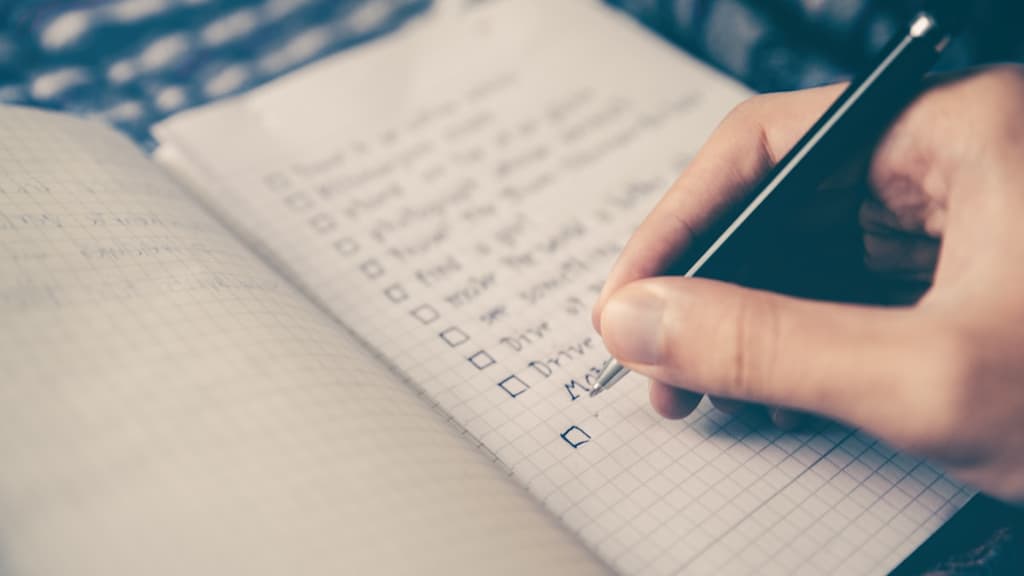
How to Set SMART Goals for 2026
Learn the proven SMART framework to set achievable goals that you'll actually accomplish this year.

The Ultimate Guide to Habit Stacking
Discover how to build new habits by linking them to existing ones. Simple, effective, and science-backed.
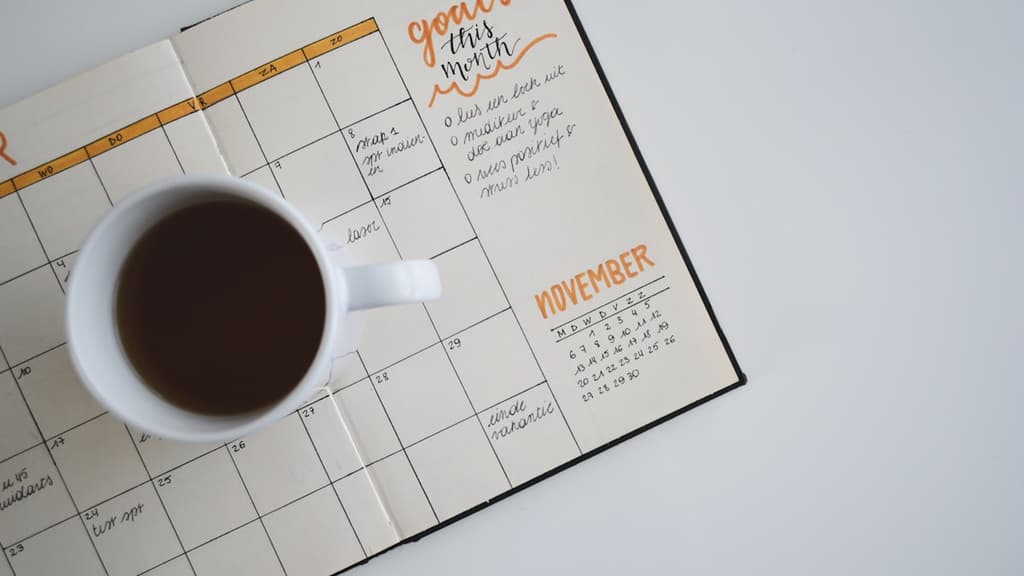
My Monthly Planning Routine (Step-by-Step)
A detailed walkthrough of how I plan each month for maximum productivity and minimal stress.